Chrome extension · Trajecsys
Logsheet Quick Entry
Fast one-tap clinical logsheet entry, with session recovery and a weekly completeness audit. A side panel next to your own logsheet, so the paperwork takes seconds instead of minutes.
Built for sonography and imaging students who log dozens of studies a week and have a Friday deadline they cannot miss.
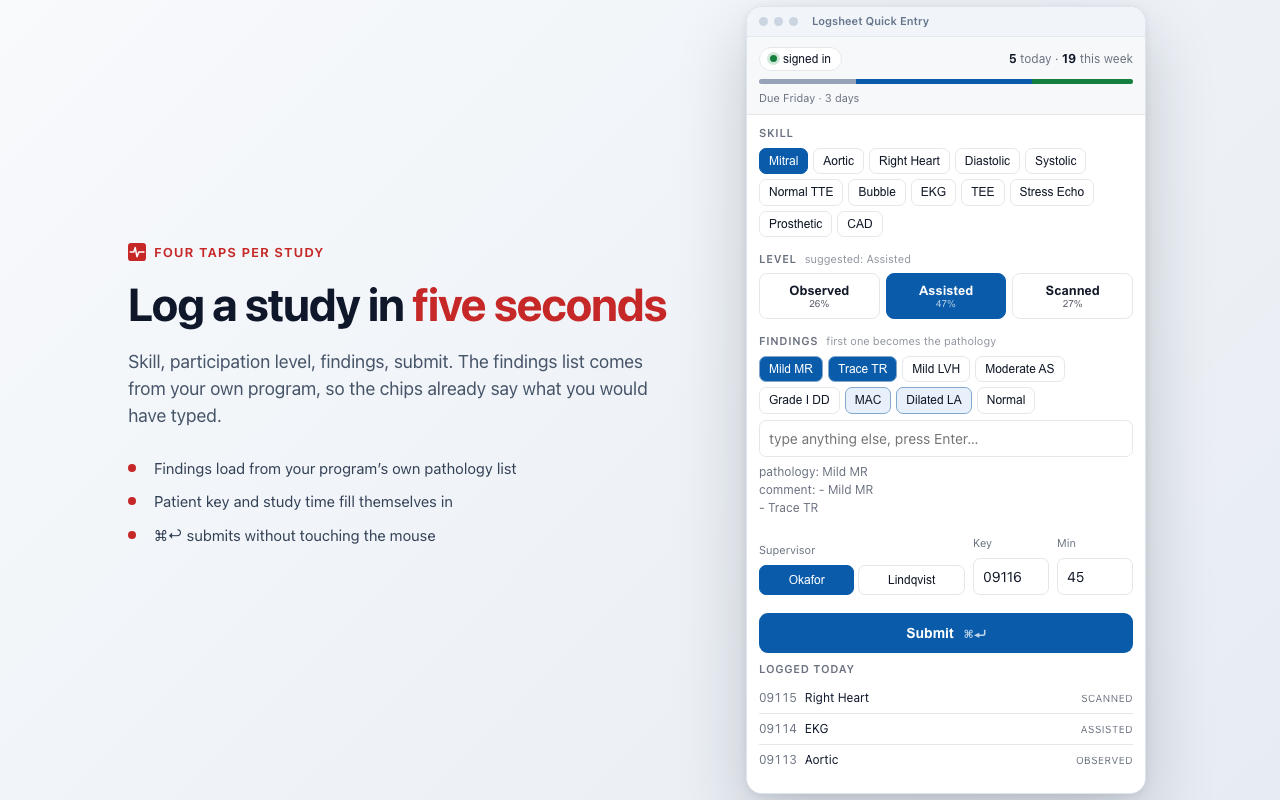
Sample data. Sites, supervisors and registry numbers shown are fictitious.
A study in four taps
Skill chip, participation level, finding chips, submit. The first finding becomes the pathology and all of them become the comment lines, matching how your logs already read.
Session dies, entry survives
When Trajecsys times out mid-shift the entry is queued locally, never lost. Retry all sends the batch once you are signed back in.
Weekly completeness audit
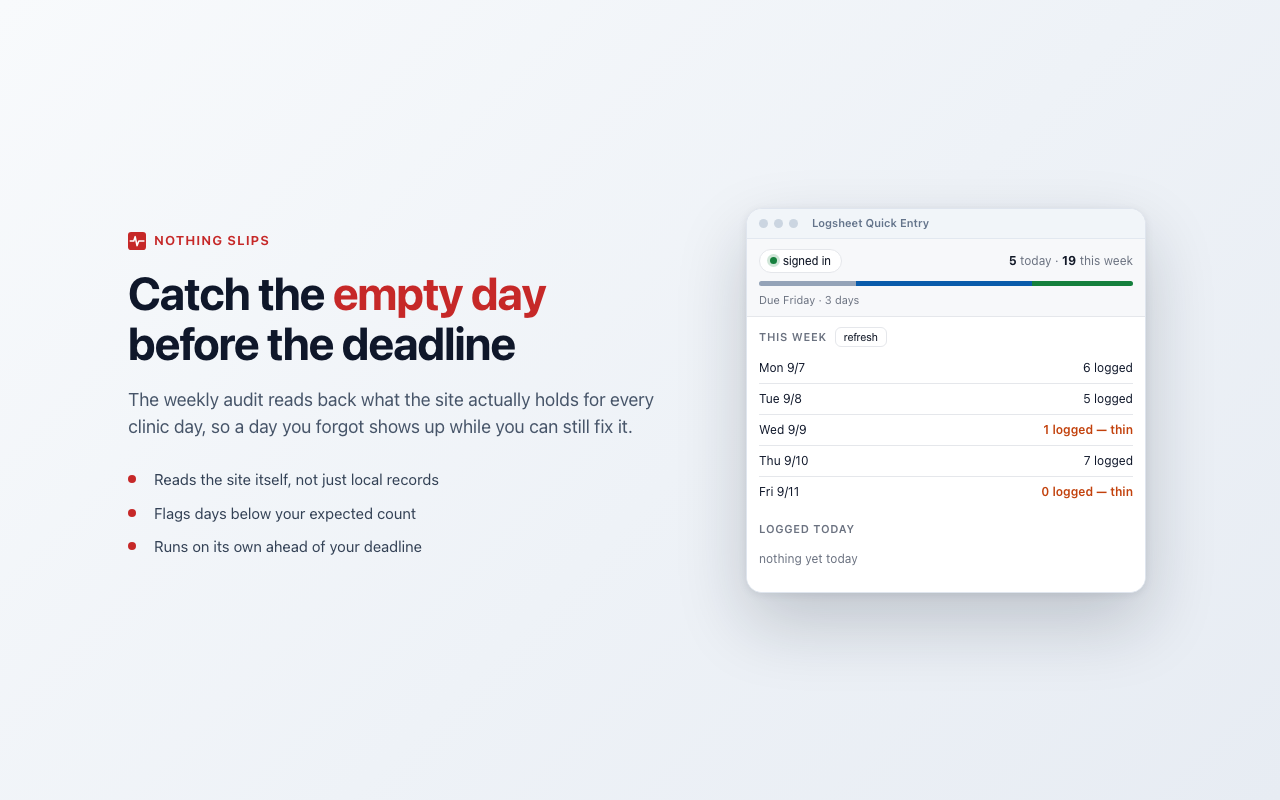
Before your deadline it reads back what the site actually holds for each clinic day and flags the thin and empty ones.
Set up in a minute
- 1Install from the Chrome Web Store and pin the icon.
- 2Sign in to trajecsys.com in a tab.
- 3In Settings, load your sites, studies, skills and supervisors from your own account.
- 4Press Cmd+Shift+L and start logging.
Every list comes from your own program's configuration. Nothing is preconfigured or hard-coded.
Your data stays in your browser
No analytics, no telemetry, no developer server. The only site the extension contacts is trajecsys.com, and storing your password for automatic reconnects is optional and off by default. Read the privacy policy.